Scroll down for additional information.
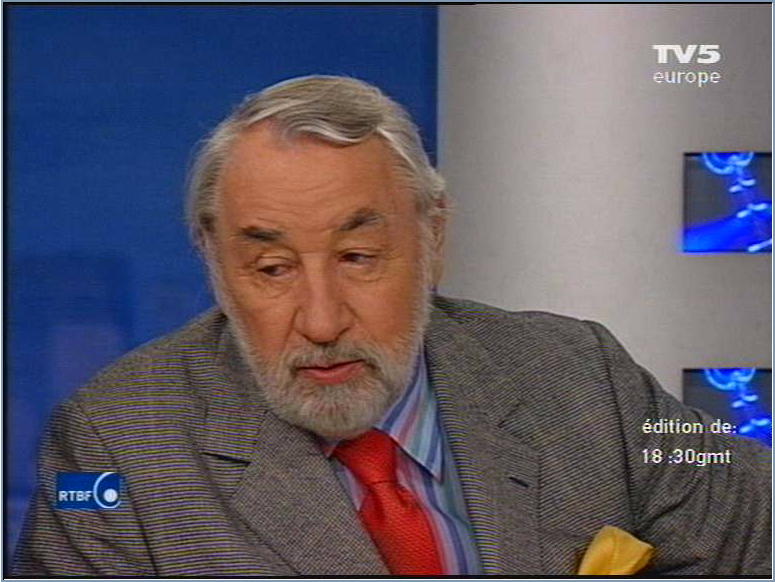
PIC mjpeg at
luminance 30, chrominance 25, 4:1:1, source PAL768x576, YUY2.
Scroll
down for additional information.
The settings used here allow for safe capturing of PAL with a 550 MHz CPU and deliver a codec quality that is better than most available sources. Although this source was very clear, there is more image noise and color interference than MJPEG artifacts. The only visible MJPEG distortion is the faint pixel cloud in the station logo. BTW I've seen such small effects also in original material. This could result from digital satellite transmission.
It's also obvious that 4:1:1 is sufficient. It's the same Y/C ratio used in any analog transmission.
Same for YUY2. BTW not all capture boards deliver YUY2. It's a matter of drivers. W. a BT848 chipset for example, obtaining older drivers might be useful.
Be sure not to check the 'use 2 fields' box if you won't play back to tape.
Same settings
as above.
Scroll
down for additional information.

It's almost impossible to trace down
Artifacts. All that first place looks like it here turns out to
be reflections or noise already contained in the source.
Sources like this, even more so totals of landscapes w. woods,
tend to drive processing time up a lot. This can suddenly lead
to an aborted capture due to buffer overflow. Always tune your
settings so that CPU load is about 60% or less with most sources.
Another one field
full frame size example, same settings.
Scroll
down for additional information.
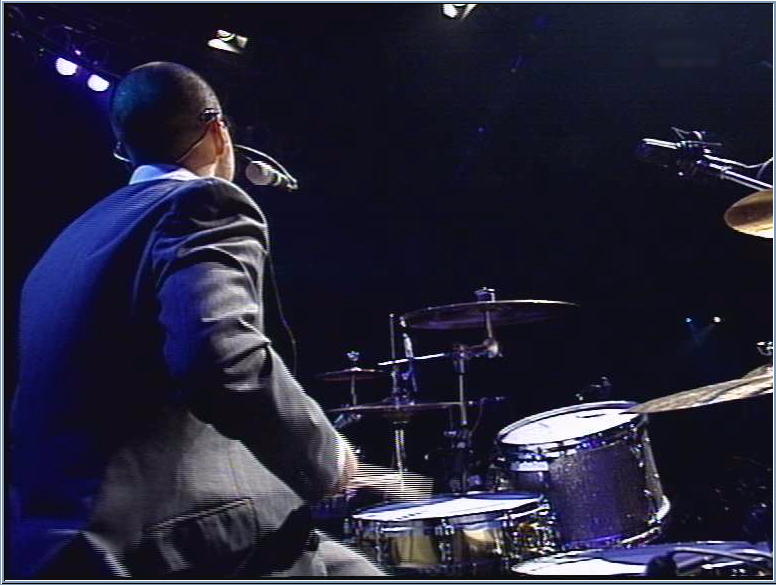
Look at the drumstick. It's obvious that
line separation is good enough for perfect deinterlacing. However
only VirtualDub + Smart Deinterlacer understand how to do
it.
Neither Adobe Premiere nor Ulead Media Studio (6) can do it. Both
can only deinterlace 2 fields streams (which already costs quality)
and then they deinterlace by dropping one field. Gentlemen, that's
not acceptable !
2x enlarged
samples showing the disadvantages of the '2 fields' option.
Scroll
down for additional information.
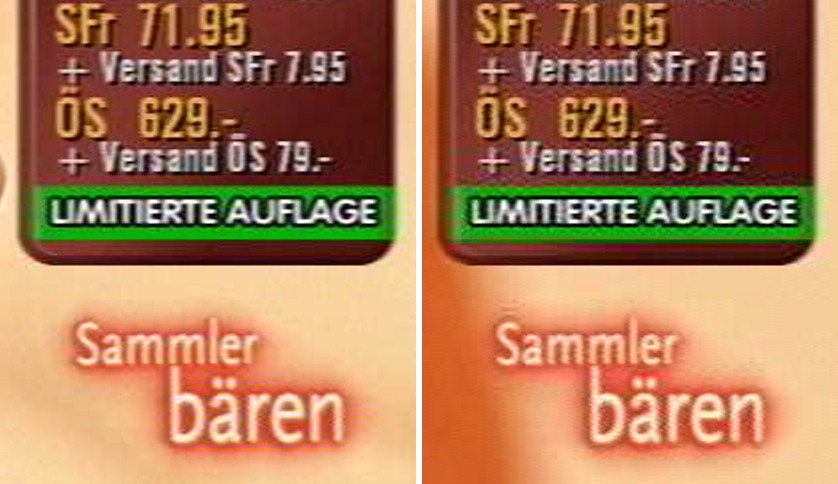
The left picture was taken without the
'2 fields' option, the right one with '2 fields' on. All other
settings identical (same as with all other samples).
The quality difference speaks for itself. It is definitely better
never to use 2 fields, because the one field footage will also
be perfectly replayed to any interlaced device.
The only reason to use 2 fields could be to deinterlace with an
NLE program or compressor, but almost all of these deliver crap.
If you have to deinterlace, use VirtualDub and Smart Deinterlacer
and recompress w.PIC set at 18 if necessary. The result will be
way better.
Some theory on this:
If 2 fields are compressed separately, each of them is 1/2 height and every JPEG artifact in vertical direction, like double edges, is doubled in size when the fields are recombined to full height.
MJPEG like other image compressions relies on similarities between adjacent pixels. With 2 fields, the similarity to the next pixel in vertical direction cannot be exploited, instead the second next pixel is tried to be correlated, which is against the principle of the compression method. This results in larger artifacts and less resolution.
Anyway the separation between adjacent lines with PIC is still very good, so most of the field separation is retained when compressed as one frame, and any interferences are confined to areas of strong motion anyway, so they don't become apparent. On the other side, there is a large advantage in compression quality in most cases, especially image areas with no or small movements, where the eye has time to focus on little details.
Example for
wrong field order.
Scroll
down for additional information.
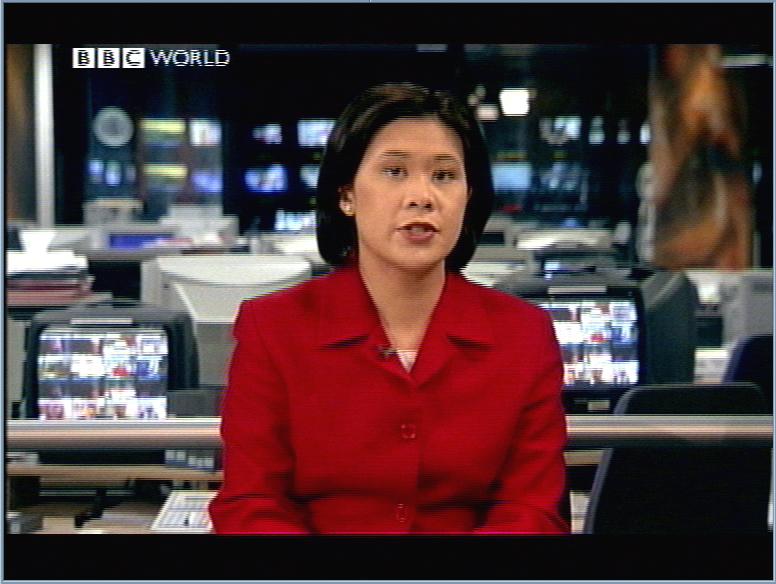
This is not from PIC but a simple frame capture showing a wrong field order (even and odd lines swapped) just to illustrate the effect.
Copyright (C) 1998-2006; all
rights reserved. All
materials in these pages are presented for scientific evaluation
of video technologies only. They may not be copied from here and
used for entertainment or commercial activities of any kind.
We do not have any relation to and do not take any responsibility
for any software and links mentioned on this site. This website
does not contain any illegal software for download. If we, at
all, take up any 3rd party software here, it's with the explicit
permission of the author(s) and regarding all possible licensing
and copyright issues, as to our best knowledge. All external download
links go to the legal providers of the software concerned, as
to our best knowledge.
Any trademarks mentioned here are the property of their owners.
To our knowledge no trademark or patent infringement exists in
these documents; any such infringement would be purely unintentional.
If you have any questions or objections about materials posted
here, please e-mail us immediately.
You may use the information presented herein at your own risk
and responsibility only. We do also not guarantee the correctness
of any information on this site or others and do not encourage
or recommend any use of it.
One further remark: These pages are covering only some aspects
of PC video and are not intended to be a complete overview or
an introduction for beginners.